
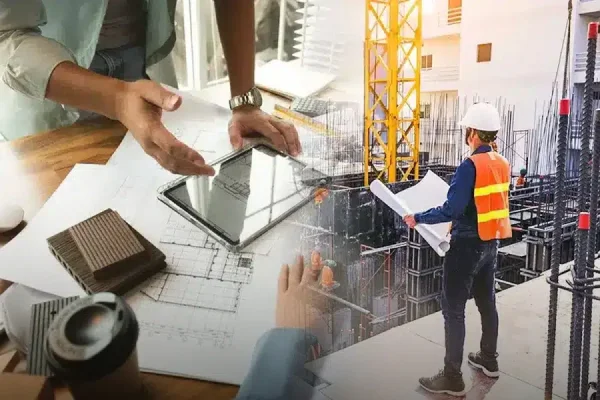
If you’ve spent even a few weeks inside a construction project, you already know it’s never as simple as the drawings suggest. Plans change. People change. Sites shift. Vendors delay. And somewhere between emails, WhatsApp messages, printed drawings, and last-minute calls, information gets scattered faster than anyone can keep up with.
Curious how this shift looks on real projects? See how construction teams are using Collabworx to keep information from breaking down.
That’s the real reason projects slow down.
Not because teams don’t work hard but because the flow of information breaks.
This is exactly where construction collaboration tools are changing the game. Not in a loud, futuristic way, but in simple, everyday ways that make work lighter. And in India, where projects move through multiple contractors, consultants, RERA requirements, and tight timelines, these tools are slowly becoming the backbone of modern construction work.
Let’s break down what is truly changing and why it matters.
1. The Problems That Slow Down Construction Today
Before understanding the transformation, it helps to call out the everyday challenges:
- One update on WhatsApp, another in email
- Different versions of drawings floating around
- Delayed approvals
- No trace of who changed what
- Lost documents
- Site teams working with outdated information
- Vendor and contractor misalignment
And because so much happens in parallel, one mistake usually sets off a chain reaction.
That’s exactly why project collaboration software for construction is becoming essential.
2. What Makes Construction Harder Than Other Industries ?
Construction moves differently:
- It changes every day
- It involves many stakeholders
- Drawings and documents are constantly updated
- Decisions have to reach the site fast
- Errors cost real money
You can’t manage this through WhatsApp and email forever.
And that’s why structured systems built specifically for construction are transforming how teams work.
3. What Collaboration Tools Actually Do ?
Construction collaboration tools bring all your communication, drawings, documents, comments, photos, and approvals into one organised space.
They act like a clean, centralised project room where:
- everyone sees the same version
- every update is traceable
- every approval has a record
- every file follows a structured path
For Indian teams, a construction team collaboration tool in India supports real-world challenges like multi-vendor setups, frequent design changes, low-network site locations, and RERA documentation.
This is very different from using general apps like WhatsApp, Gmail, or Drive.
4. How Collaboration Tools Fit Into Today’s Workflow ?
Think of them as a quiet layer beneath the project keeping things in order while you focus on the actual work.
They help you:
- centralise conversations
- store documents in a structured way
- track revisions and versions
- assign responsibilities
- speed up approvals
- connect site teams to office teams
- maintain compliance records
- share updates with clients
A good tool feels simple, but the impact is huge.
5. Five Big Ways Collaboration Tools Are Transforming Construction
Here’s where the change becomes clear.
a) Communication Finally Lives in One Place
No more hunting through chats or forwarded screenshots.
A good construction communication platform keeps every discussion attached to the correct file or task.
This means:
- context is never lost
- replies stay relevant
- everyone sees the same update
- no more “Which message was final?”
For multi-stakeholder projects in India, this alone cuts hours of confusion.
b) Drawing and Document Chaos Goes Away
Version confusion is one of the biggest sources of rework.
Document management for construction tools fix this by:
- keeping a single latest version
- locking old files
- creating a clear version history
- organizing every file inside a structured folder hierarchy
You don’t search for files anymore. You know where they are.
c) Accountability Becomes Clear
One of the biggest changes is visibility.
With construction coordination tools, you can see:
- who uploaded a drawing
- who commented
- who approved
- who changed something
- when it happened
This stops blame loops and helps teams work with trust.
d) Approvals Move From Weeks to Hours
Most delays come from waiting.
Waiting for someone to see an email.
Waiting for someone to reply.
Waiting for someone to approve a file.
A collaboration system removes this delay because:
- pending approvals are visible
- reminders are automatic
- everyone knows the project’s status
Decisions move faster, and so does the project.
e) Compliance and Documentation Become Easier (Especially for India)
With RERA and CREDAI encouraging better documentation, teams need reliable records.
A structured tool acts like RERA compliance software by:
- maintaining an audit trail
- storing documents neatly
- making updates traceable
- keeping reports easy to retrieve
This makes audits smoother and client communication cleaner.
6. Before and After: A Simple Snapshot
Sometimes the easiest way to understand the impact of collaboration tools is to look at how a project behaves before and after teams start using them. Here’s a simple snapshot that shows how everyday processes shift when information finally stays organized and traceable.
Before vs After Using Collaboration Tools
| Before Collaboration Tools | After Collaboration Tools |
|---|---|
| Multiple drawing versions travel through WhatsApp and create confusion. | Only one final version is visible, so nobody works from outdated plans. |
| The site team prints an old revision without realising it. | The site team always sees the latest file because the tool updates in real time. |
| Vendors sometimes work with incomplete or incorrect details. | Vendors receive correct specifications every time, reducing misunderstandings. |
| Clients get confused by scattered updates and inconsistent documentation. | Clients see clean, organised updates that are easy to follow. |
| Rework begins because small mistakes stay unnoticed for too long. | Rework drops significantly because issues are caught and clarified early. |
| The project timeline suffers as delays pile up quietly. | Everyone moves together in a steady rhythm because decisions travel faster. |
These changes may look simple on the surface, but their impact adds up quickly, and teams feel the difference almost immediately once structure replaces chaos.
Project Managers
- Project managers can track progress without calling ten different people because the updates are already visible in one place.
- They can approve drawings within minutes since every revision sits clearly in front of them.
- They can see pending actions instantly, which helps them keep the project moving without unnecessary follow-ups.
Site Engineers
- Site engineers can upload daily photos in seconds, giving the office an immediate sense of what’s happening on the ground.
- They can share issues the moment they notice them, reducing delays caused by long reporting chains.
- They can access drawings and documents even in low-network areas, which keeps them aligned with the latest instructions.
Architects & Consultants
- Architects and consultants can share and revise drawings smoothly because every update flows through one organised space.
- They can keep all versions tracked, so no one ever works from an outdated plan.
- They can comment directly on files, making discussions clearer and easier for everyone to follow.
Builders & Developers
- Builders and developers can maintain transparency with clients because updates, documents, and timelines stay organized and visible.
- They can handle RERA documentation easily since everything they need is already structured and traceable.
- They can monitor contractors and vendors more confidently because all communication and files follow the same system.
Multi-Site Companies
- Multi-site companies can keep the same structure across locations, which makes every project feel familiar and easy to manage.
- They can standardize communication so that all teams follow one clear way of working.
- They can reduce confusion across teams because no matter where a project is based, everyone knows exactly where to find what they need.
8. How to Start Using Collaboration Tools
You don’t need to digitize everything at once.
Start small.
- Pick one project.
- Set up one folder structure.
- Add only the core team first.
- Train site teams early.
- Move approvals into the tool.
- Slowly bring contractors and consultants onboard.
- Keep reviewing your workflow.
Quiet steps create strong habits.
9.Common Mistakes Teams Make During Digitization
- Many teams use too many apps at once, which scatters information instead of bringing it together.
- Digitization often fails when there is no fixed file-naming system, because people can’t tell which document is the correct one.
- Some teams forget to train site engineers properly, even though they are the ones who update the system the most.
- A lot of companies make the mistake of starting with a huge project, which overwhelms everyone before good habits can form.
- Problems continue when WhatsApp and email remain active alongside the new tool, because communication gets split again.
- Teams often expect instant adoption, even though people need time and support to adjust to a new way of working.
Collaboration works best when teams build structure first, because structure becomes the foundation for every digital habit that follows.
10. The Real ROI: Why This Change Matters
The biggest wins?
- Less rework
- Fewer delays
- Faster decisions
- Lower stress
- Stronger client transparency
- Better coordination among contractors
- A predictable project path
And honestly, peace of mind is priceless in construction.
11. Mini Checklist: Is Your Team Ready?
Use this quick test:
- Are conversations scattered across apps?
- Do drawing versions confuse people?
- Do approvals take days to close?
- Do documents get lost?
- Do site and office teams work differently?
- Does RERA documentation feel messy?
If you said “yes” to even 2 of these, collaboration tools will help more than you realise.
12. Structure: The Real Reason These Tools Work
Software alone doesn’t fix chaos.
Structure does.
When communication, files, versions, and approvals follow one path, the entire project settles. People stop chasing updates and start doing their actual work.
This is the quiet transformation happening across India’s construction industry right now.
Collabworx: Built on Structure to Improve Workflow
Collabworx is built around one simple idea:
Construction becomes easier when teams follow structure.
With sequential folders, clear version control, centralized communication, and traceable approvals, it’s designed the way construction actually works especially in India, where coordination is half the job.
If you want a simple way to start, you can download the Construction Collaboration Checklist by Collabworx or book a short demo to see how structured teamwork feels in action.
 TALK TO US ?