
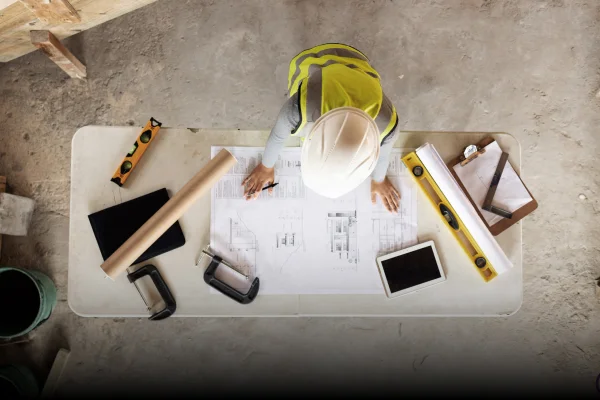
Construction projects look neat on paper. Drawings, checklists, timelines: everything is lined up perfectly. But the moment a project begins, reality steps in. Updates land on WhatsApp, approvals get buried in emails, drawings multiply into different versions, and the site team often works with whatever they last received.
That’s where construction collaboration tools step in. They help your team stop juggling ten different channels and finally work from one shared space. And in a country like India, where multiple contractors, vendors, and consultants work together on the same project, you need more than good intentions; you need structure.
This guide walks you through everything you need to know: what these tools are, why they matter, the features that truly help, and how they fit into everyday construction work.
This guide explains the “what” and “why.” If you want to see the “how,” take a look at how teams work inside Collabworx.
1. What Are Construction Collaboration Tools?
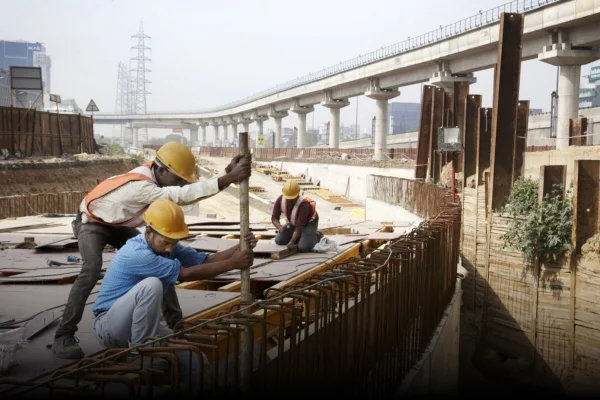
In simple words, construction collaboration tools are digital workspaces where your entire project, people, conversations, drawings, approvals, and documents come together.
They help teams move away from scattered updates and instead work from one organised system. This means every drawing, site photo, message, and approval sits in one place, not across six different apps.
Unlike general tools like WhatsApp, email, Drive, or Trello, project collaboration software for construction is designed for the messy, fast-moving, multi-team nature of real projects. These tools support drawing revisions, version control, structured folders, and site-office coordination; the things construction needs every day.
A construction team collaboration tool in India goes a step further. It supports complex project hierarchies, multi-contractor workflows, and local expectations around documentation and approvals.
2. Types of Construction Collaboration Tools
Different tools support different parts of the workflow. Here’s a simple breakdown:
a) Communication Tools
These keep conversations in one place. Think project threads, RFIs, reminders, and discussions connected directly to drawings or tasks. A proper construction communication platform stops your team from chasing updates across WhatsApp groups and emails.
b) Document & Drawing Management Tools
This is where version control, structured storage, and traceable documentation come in. These tools act like a digital project archive with a proper sequence. They are essential for document management for construction and avoid costly “wrong version” mistakes.
c) Field Collaboration Tools
These help site teams share updates fast: photos, checklists, punch lists, progress notes straight from the ground.
d) Design Collaboration Tools
Used by architects and consultants to upload revised drawings, manage changes, and track comments.
e) Workflow & Approval Tools
These track pending actions, approvals, and responsibilities. They also create audit trails that are essential for transparency and RERA-linked processes, making them function partly like RERA compliance software.
3. Why Regular Tools Aren’t Enough
Many teams still rely on emails, chats, and Google Drive because they’re familiar. But here’s the problem, construction is layered. Traditional tools don’t handle layers well. Here’s a quick comparison:
| Tools | Good For | Not Good For Construction |
|---|---|---|
| Quick updates | No version control, no traceability | |
| Formal notes | Slow approvals, hard to search | |
| Google Drive | Storage | No sequence, duplicates pile up |
| Trello / Asana | Task lists | Not built for drawings or multi-team approvals |
| Construction Collaboration Tools | Entire workflow | Made for real construction coordination |
That’s the difference. Construction needs order, not more apps.
4. Why Construction Collaboration Tools Matter (Especially in India)
Construction moves fast. But without structured communication, everything slows down.
Here’s what typically causes delays:
- Different versions of the same drawing floating around
- Lost approvals
- Scattered instructions
- No clear owner for changes
- Miscommunication between office and site
A proper construction coordination tool fixes these gaps by giving everyone the same source of truth.
And in India, this shift is already visible.
- RERA expects documented transparency. For example, many State RERA authorities require developers to maintain traceable records of approvals, revisions, and communication for regulatory verification.
- CREDAI encourages digitisation.
- Multi-location projects are becoming the norm.
For Indian builders, contractors, and developers, collaboration tools are no longer a luxury; they’re becoming part of construction digitisation in India.
5. Features to Look For
Let’s skip jargon and keep this practical. Here’s what matters most:
Communication Features
- One space for all project discussions
- Real-time updates
- Connect messages directly to files
Drawing + File Features
- Version control so nobody uses an outdated plan
- Unique folder structure for easy access
- Locked older versions to avoid confusion
- Quick search
Accountability Features
- Activity logs showing who changed what
- User permissions for sensitive documents
- Clear approval trails
Site Features
- Upload photos and reports from site
- Offline access for low-network areas
- Tag issues, mark locations, add notes
Compliance Features
Especially useful for India
- Organized records for RERA inspections
- Date-wise file sequencing
- Traceable communication logs
- Shareable documentation packs
In India, CREDAI has been actively promoting digitization across member developers, encouraging disciplined documentation and transparent communication systems as part of modern project delivery.
The right construction project management tools won’t overwhelm your team; they’ll quietly support the work you’re already doing.
6. Benefits of Using Construction Collaboration Tools
Here’s how real teams benefit:
1. Fewer Mistakes
Everyone uses the same version. No mix-ups, no rework.
2. Faster Approvals
You don’t wait for someone to see an email. Pending actions are visible instantly.
3. Better Communication
No more screenshots, forwards, or lost threads.
4. Clear Accountability
Every action has a name and timestamp. No confusion.
5. Stronger Cost Control
Less rework, fewer delays, fewer escalations.
6. Better RERA Documentation
Organised data → easier compliance.
7. Happier Teams
Less stress, fewer back-and-forths. And people finally know where everything is.
7. What’s the Real ROI?
You don’t need spreadsheets to see the impact. Here’s what changes:
- You stop wasting hours searching for files.
- You avoid costly rework caused by outdated drawings.
- You reduce delays because approvals move faster.
- You don’t depend on memory or scattered chats.
- You build stronger trust with clients because updates stay clean and traceable.
The real return is predictability, projects move with fewer surprises.
8. Real-World Use Cases
Here’s how different people on a project actually use these tools:
For Project Managers
- Organized project files
- Latest approved drawings always visible
- Version history
- Review updates without email/WhatsApp
- Documentation continuity
- Role-based access control
For Site Engineers
- Upload photos/videos in correct folders
- Share issues via chat or folder updates
- Access latest drawings from mobile
- Maintain daily sharing trail
- Avoid errors from outdated drawings
For Architects & Consultants
- Share revised drawings with version control
- Keep all conversations tied to files
- Avoid miscommunication
- Maintain a single source of truth
- Preserve design-related communication
For Architects & Consultants
- Share revised drawings with version control
- Keep all conversations tied to files
- Avoid miscommunication
- Maintain a single source of truth
- Preserve design-related communication
For Builders & Developers
- Align vendors/contractors in one workspace
- Transparent documentation
- RERA-ready documentation structure
- Secure access
- Continuity across teams
- Streamlined communication
For Multi-Site Companies
- Standardized folder structures
- Organised documentation everywhere
- Access from anywhere
- Consistency across teams
- Unified documentation approach
A structured tool doesn’t change how you work, it makes your current process easier.
9. Common Misconceptions (And the Actual Truth)
Let’s clear a few common myths:
“WhatsApp is enough.”
Not when you need version control, traceability, or approvals.
“Drive is already digital.”
Digital isn’t the same as structured. Drive still gets messy fast.
“Site teams won’t use tools.”
If the tool is simple, they will. It’s usually the complexity that stops adoption
“Software slows things down.”
It only slows you down when it’s not built for construction.
“Digitisation is expensive.”
It’s more expensive to fix rework, delays, and miscommunication.
10. Implementation Tips (Start Small and Steady)
Here’s the simplest way to start:
- Begin with one project.
- Keep one folder structure for everyone.
- Train the site team first, they update the most.
- Avoid using too many apps.
- Review and adjust your workflow every few weeks.
Digital doesn’t have to be dramatic. Quiet changes last longer.
11. The Structure-First Approach
Most failed digitization efforts have one thing in common, the basics were never set.
If your folders, files, and versions are not in order, no software can solve the chaos.
That’s why Collabworx follows a structure-first approach. It brings communication, drawings, documents, and accountability into one clean system based on how real projects actually work. Built by people who’ve managed countless construction sites, it keeps everything organized, traceable, and easy for teams to follow.
12. Summary Table
| Challenge | Impact | What Solves It |
|---|---|---|
| Scattered communication | Delays, confusion | Centralised communication threads |
| Drawing mix-ups | Rework, wasted money | Version control + structured folders |
| Lost documents | Slowdowns, frustration | Document management for construction |
| Missing accountability | Blame loops | Audit logs + permissions |
| Slow approvals | Timeline slippage | Workflow tools + dashboards |
13. Conclusion
Collaboration isn’t about adding more tools. It’s about making work lighter, clearer, and more predictable. And when your communication, files, and approvals stay in order, your entire team feels the difference. Curious? See how Collabworx, India’s the leading multi-stakeholder construction collaboration platform can help your projects.
 TALK TO US ?